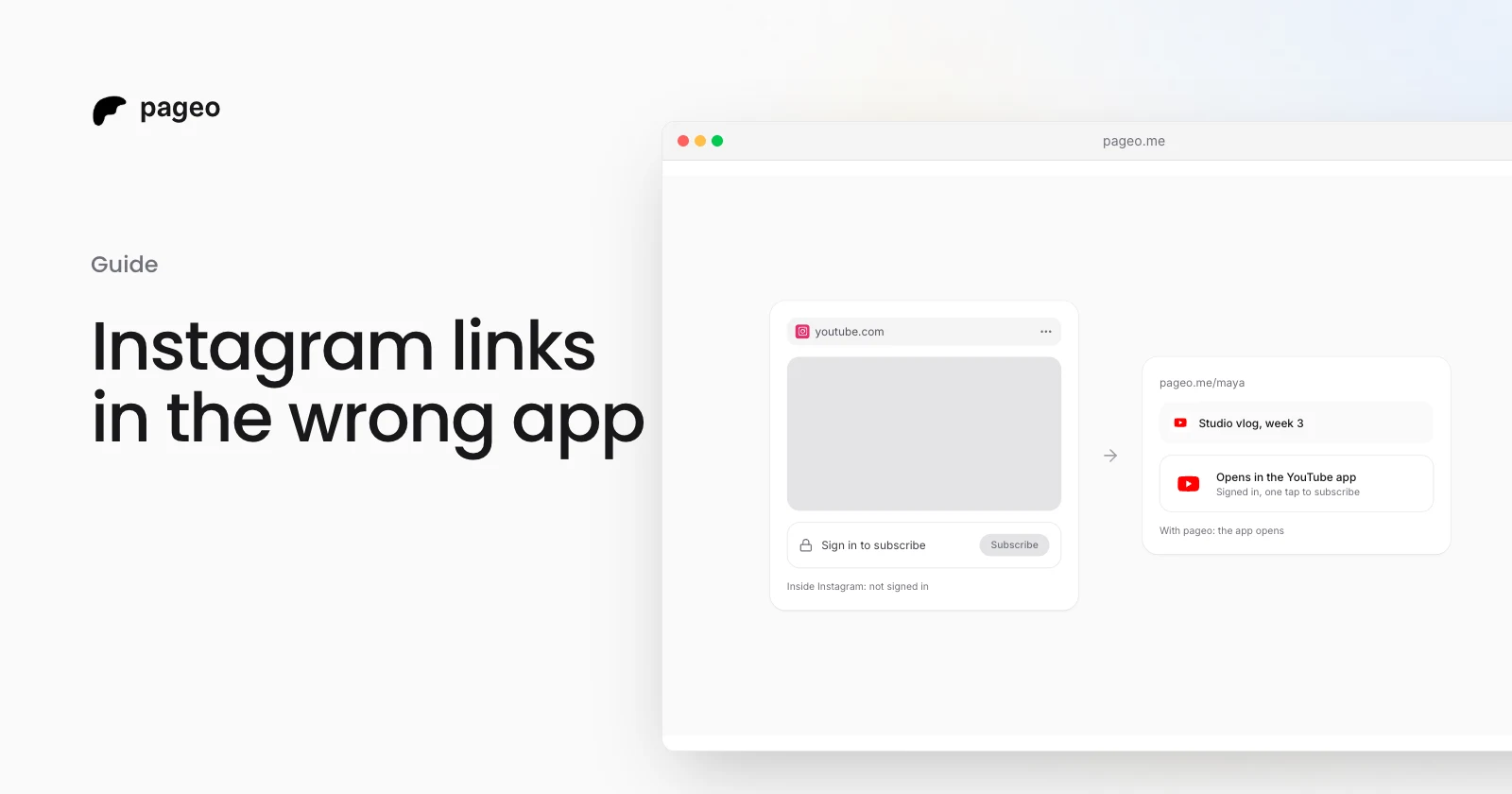
When someone taps a link in your Instagram bio, Instagram does not open it in Safari or Chrome. It opens the page in its own browser, inside the Instagram app. That browser does not share sign-ins with the visitor's phone, so a YouTube link shows the YouTube website with the visitor signed out. To subscribe, follow, or save a song, they first have to sign in, and many do not.
You cannot change how Instagram opens links. You can change what happens after the tap, so each link opens in its own app, where the visitor is already signed in. This guide explains the cause and both fixes. We make pageo, so we keep our part at the end, apart from the facts.
Why Instagram opens links in its own browser
On iPhone, Instagram and Facebook show every outside link in their own in-app browser, not in Safari. Felix Krause documented this in his research on in-app browsers in August 2022.
An app's own browser starts empty. Google's Custom Tabs documentation says WebViews, the part that apps use to show web pages inside themselves, "don't share state with the browser". The browser the visitor normally uses keeps their sign-ins. The in-app one does not have them.
So the visitor taps your YouTube link and gets the YouTube website, signed out, inside Instagram. The same happens with Spotify, Apple Music, and Amazon links.
What it costs you
Most of the actions you share a link for need the visitor to be signed in:
- YouTube: subscribe, like, and save to a playlist.
- Spotify and Apple Music: follow the artist, and save the song or album.
- Amazon: add to cart and buy with a saved card and address.
- Instagram, TikTok, and X: follow the account.
Each of these asks a visitor who is not signed in to sign in first. Some do. Many tap back to Instagram and the action does not happen.
Which apps do this
Instagram is the best known, but it is not the only app that opens links in its own browser. pageo detects the in-app browsers of these seven apps:
- TikTok
- Snapchat
- X
- Threads
What a visitor can do
In the in-app browser, the visitor can tap the menu in the corner of the screen and choose to open the page in their browser. Krause's summary advice is the same: tap the dots in the corner and open the page in Safari. The label of that option changes between app versions and phones.
This works, but it asks the visitor to know about the problem and to take an extra step. Most visitors only see that the page asks them to sign in.
What you can do as the creator
You control the page that your bio link opens. If that page knows it is inside an in-app browser, it can hand each link to its app directly, so the visitor never sees the sign-in screen.
A link in bio page can do this in two ways:
- Open known links in their apps. A YouTube link opens the YouTube app. A Spotify link opens Spotify. On iPhone this uses each app's own link format. On Android it uses an intent, a link that names the app and carries the web address in case the app is not installed.
- Offer the visitor's own browser. A short note at the top of the page offers to leave the in-app browser. On Android a button can open the page in Chrome. iPhone has no such link, so the note tells the visitor which menu to use.
How pageo handles it
We make pageo, so read this part as our side. Every claim matches the current code, and the setting is described in the link options docs.
When a visitor opens a pageo page inside Instagram, Facebook, TikTok, Snapchat, LinkedIn, X, or Threads, pageo does two things.
It opens links in their apps.
| Link to | iPhone | Android |
|---|---|---|
| YouTube | Opens the YouTube app | Opens the YouTube app |
| Spotify | Opens the Spotify app | Opens the Spotify app |
| Apple Music | Opens the Music app | Opens the Apple Music app |
| Amazon | Opens the Amazon app | Opens the Amazon app |
| Profile links open the app | Every link opens the app | |
| X | Profile links open the app | Every link opens the app |
| TikTok | Opens the web page | Opens the TikTok app |
If the visitor does not have the app, the web page opens instead. The click counts in your analytics before the app opens, so these links show up like any other.
It offers the visitor's browser. A small note sits at the top of the page. On Android it has an Open in browser button. On iPhone it tells the visitor to tap the menu and choose Open in browser. The visitor can close the note, and it stays closed for that visit.
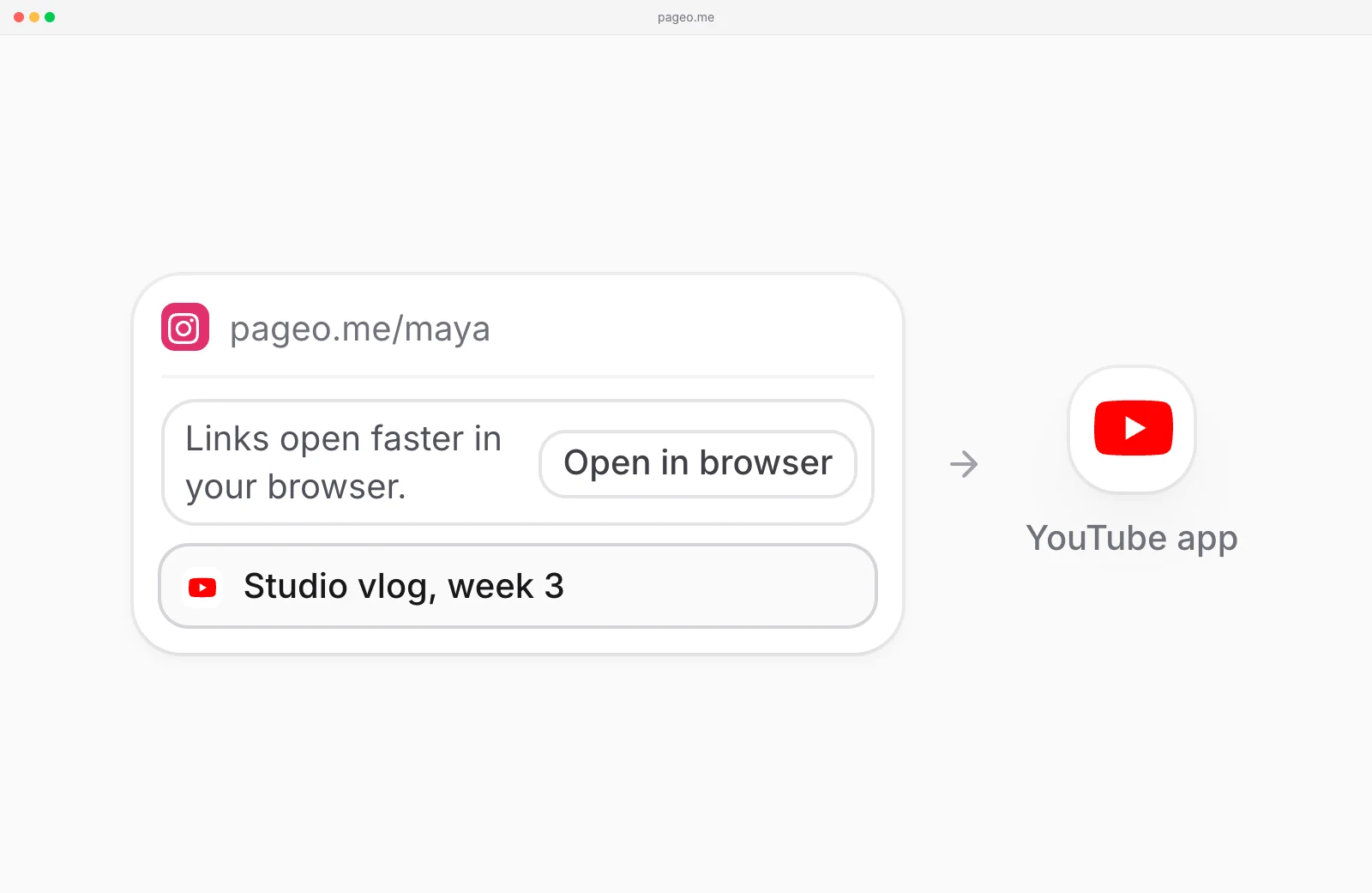
Both are on by default, on the free plan and on Pro. To turn them off, open Settings and turn off Open links in apps. See pricing for what each plan includes.
Check your own link
- Open Instagram on your phone and go to your own profile.
- Tap the link in your bio.
- Tap a YouTube or Spotify link on the page that opens.
- If you see the website with a sign-in prompt, your visitors see it too.
We checked the in-app browser facts in this guide on October 30, 2026.