Introduction
Your link-in-bio is your digital business card. It is where you send people for your projects, your socials, and your contact details. So it makes sense to put it on a URL you own, like links.yourname.com or bio.yourcompany.com, instead of a shared one.
pageo supports custom domains. Connect your own domain to your pageo profile, keep your brand in the URL, and keep the same fast, minimal page. This post covers what custom domains are, why they help, and how to set one up.
Why use a custom domain?
Stronger branding
A link like pageo.me/username works, but links.yourname.com or yourname.com makes it clear the page is yours. A custom domain looks more professional and stays consistent everywhere you appear.
You keep control
The domain is yours. If you ever move platforms, you point the same domain somewhere else. Your audience does not have to learn a new URL, and the link you have shared for years keeps working.
What you get with custom domains on pageo
Your domain, your profile. Point your domain or a subdomain at pageo. Visitors who open that URL see your pageo profile, with the same content and layout, on your URL.
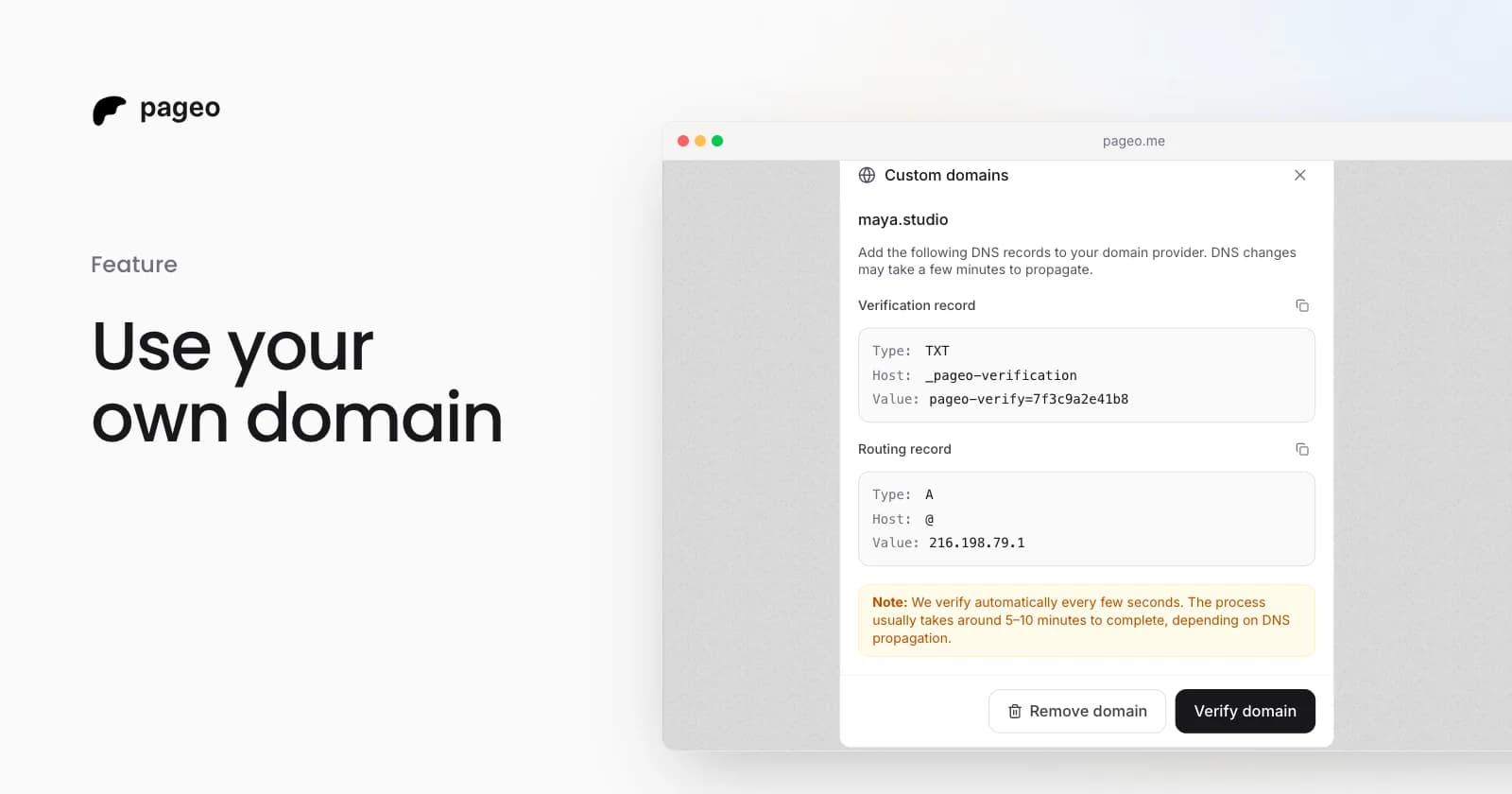
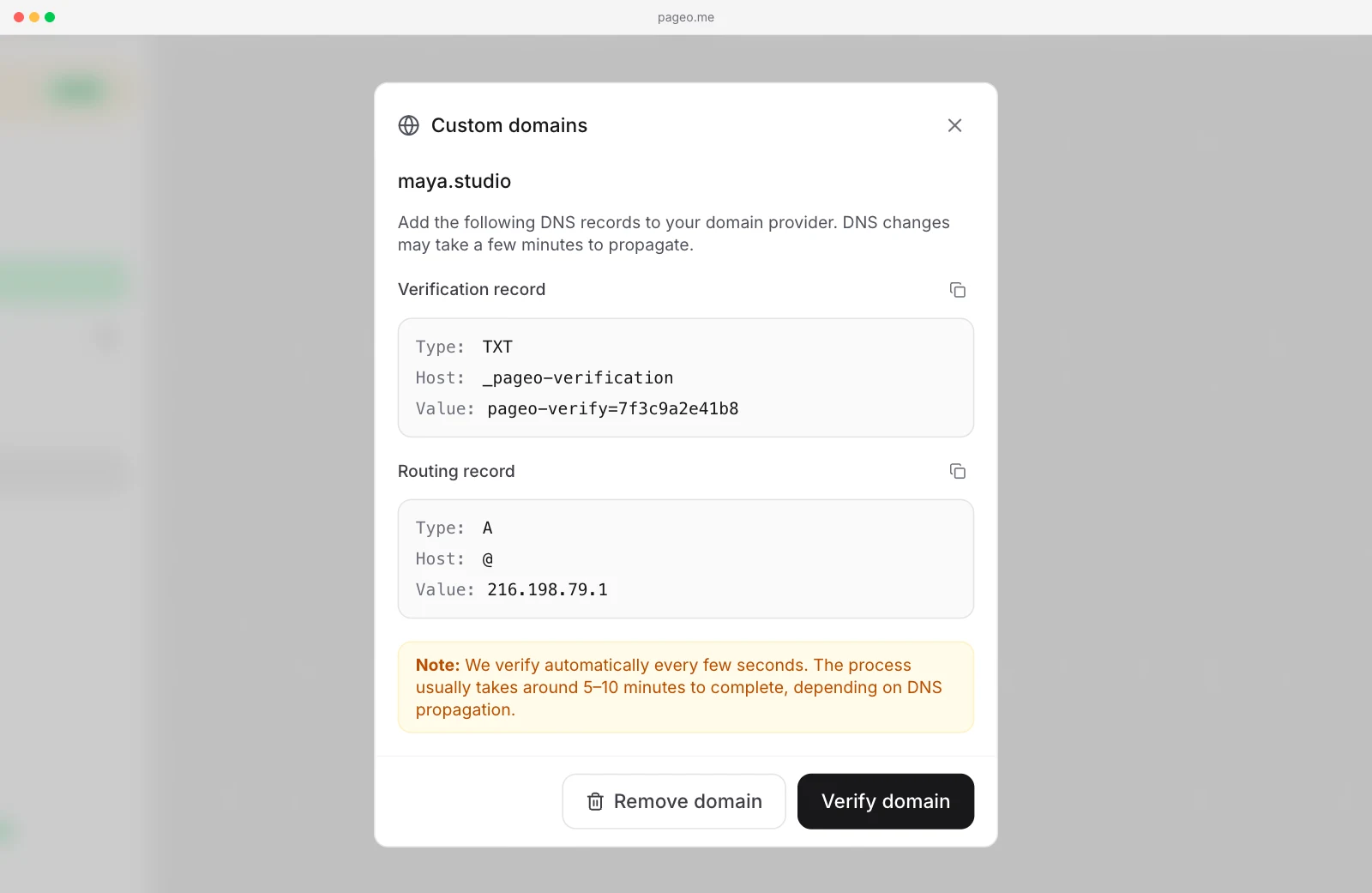
Simple setup. Add two DNS records at your domain provider: a TXT record to prove you own the domain, and a routing record. Root domains use an A record and subdomains use a CNAME. pageo shows the exact values with copy buttons, so you do not mistype them.
Automatic verification. After you add the records, keep the Custom domains dialog open. pageo checks again about every 12 seconds and tells you as soon as everything is confirmed. You do not have to keep clicking Verify.
HTTPS included. Your custom domain is served over HTTPS, and the certificate is handled for you.
Root domains and subdomains. Use your main domain (yourname.com) or a subdomain (links.yourname.com, bio.yourname.com). Both work with the matching record type.
Who are custom domains for?
Professionals and freelancers
Anyone who wants a polished, branded link page without pageo.me in the URL.
Businesses and teams
Use something like links.yourcompany.com for campaigns, job boards, or resource hubs, with the same brand at every touchpoint.
Content creators
Keep one memorable link, like link.yourname.com, in your bios and video descriptions. You never have to change it when you switch tools.
How setup works
- Add your domain in pageo. In your admin, open Custom domains, enter your domain (for example
links.example.com), and add it. pageo creates a verification token and shows the DNS records to add. - Add two DNS records. At your registrar or DNS provider (Cloudflare, Namecheap, GoDaddy, Vercel, and others), add the
TXTrecord for verification. Then add anArecord for a root domain, or aCNAMErecord for a subdomain. - Wait for verification. DNS changes can take a few minutes to spread. pageo keeps checking, and your profile goes live on your domain once verification succeeds.
- Share your link. Your profile is now at your custom URL. Your
pageo.me/usernamelink keeps working too.
Custom domains and pageo Pro
Custom domains are part of pageo Pro, along with forms and the inbound inbox, your audience, longer analytics ranges, and custom SEO metadata. There is no extra fee for a custom domain beyond the plan. See pricing for the details.
What stays the same
Your profile content, layout, and settings do not change. You attach your own URL to what already exists. Edits you make in the admin, or through GitHub sync, show on your custom domain and on your pageo.me/username URL at the same time.